AxxHD Legacy Outlook Settings
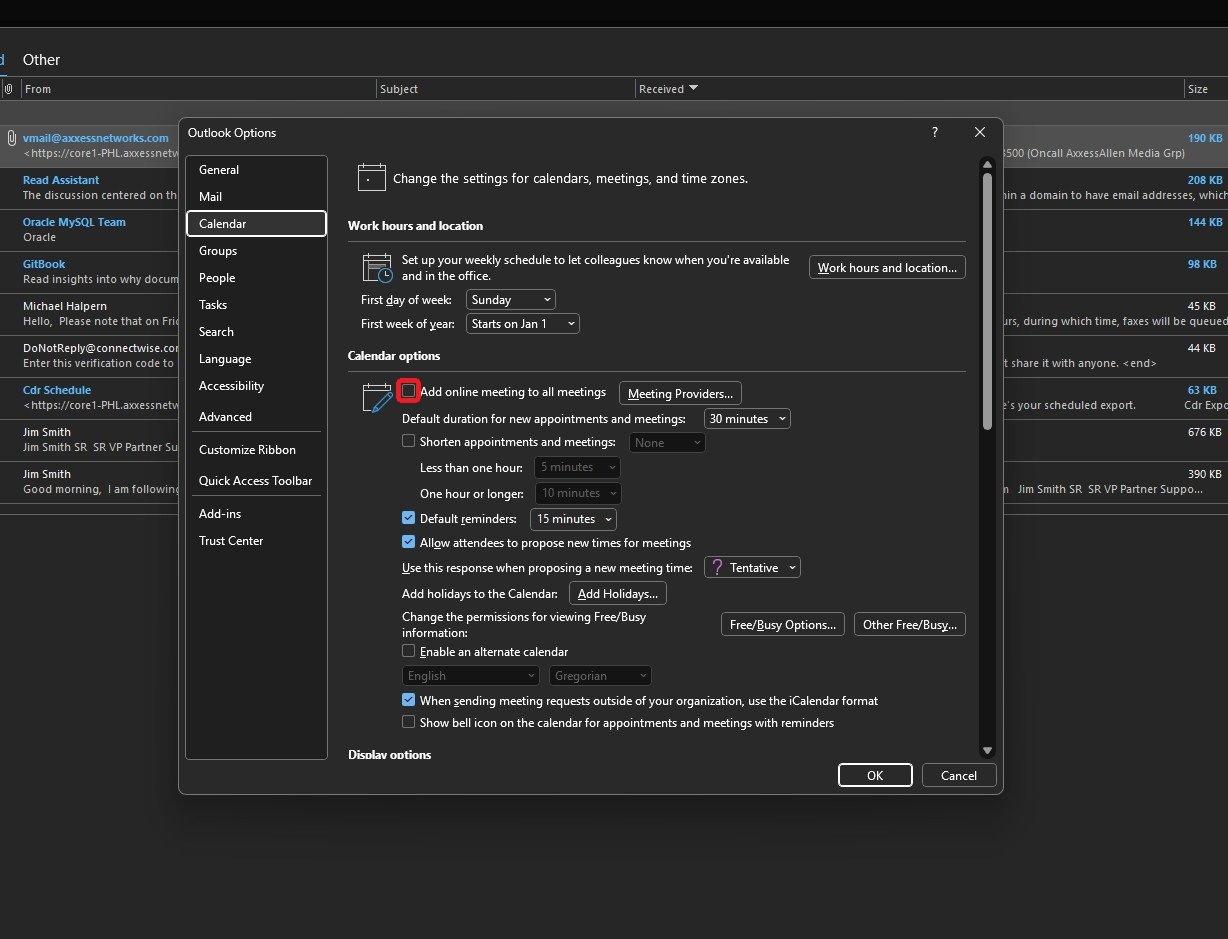
Step-by-step guide to add prevent Teams from inserting a meeting as the default meeting provider.
Note: Reference images provided below have been taken in Dark mode.
Step 1
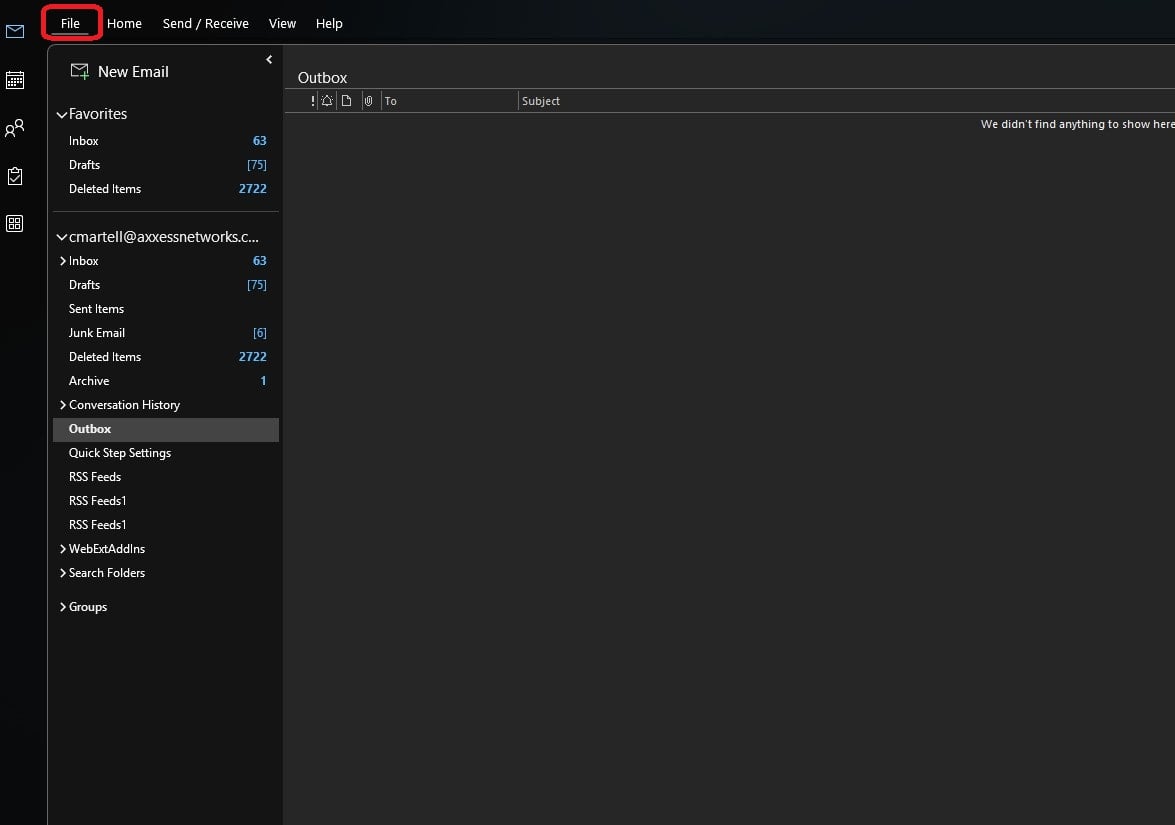
Open the Outlook application and locate the File menu option.
Step 2
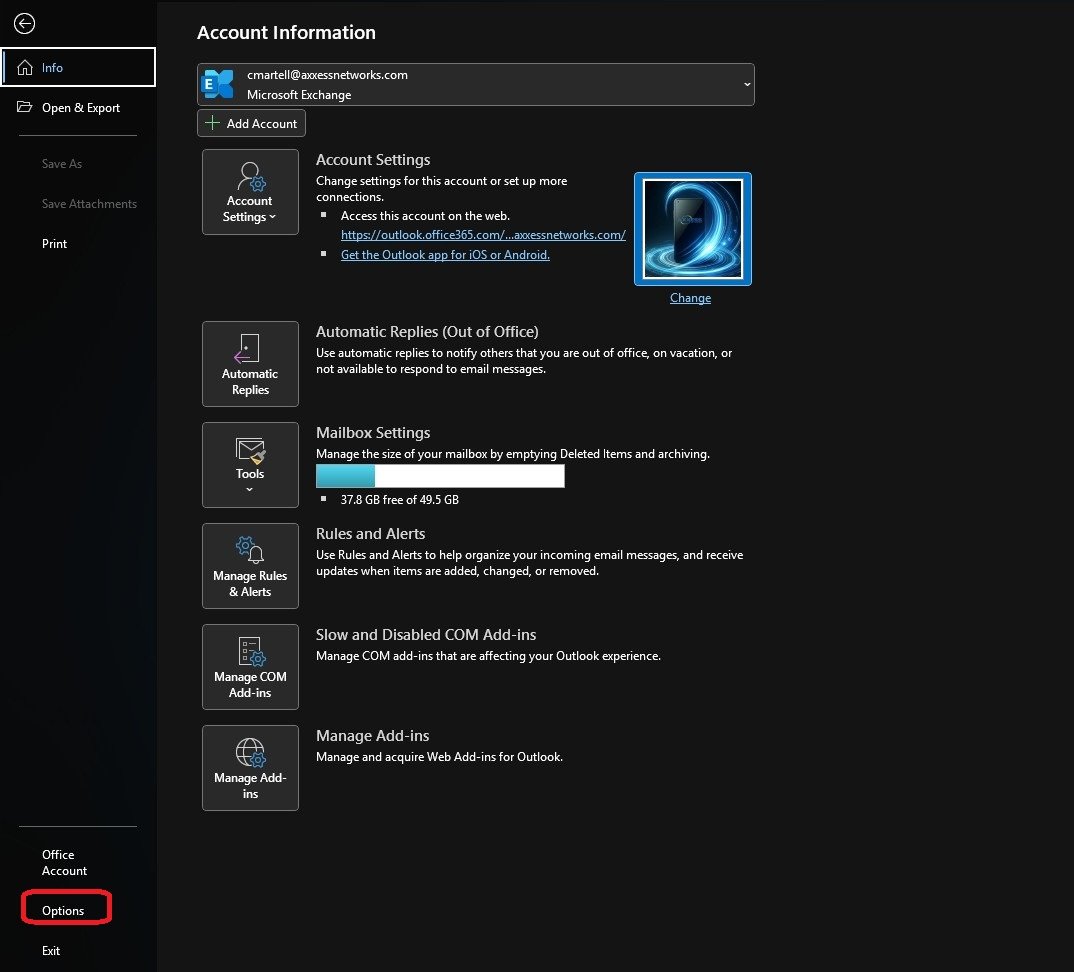
Click on Options in the bottom left corner.
Step 3
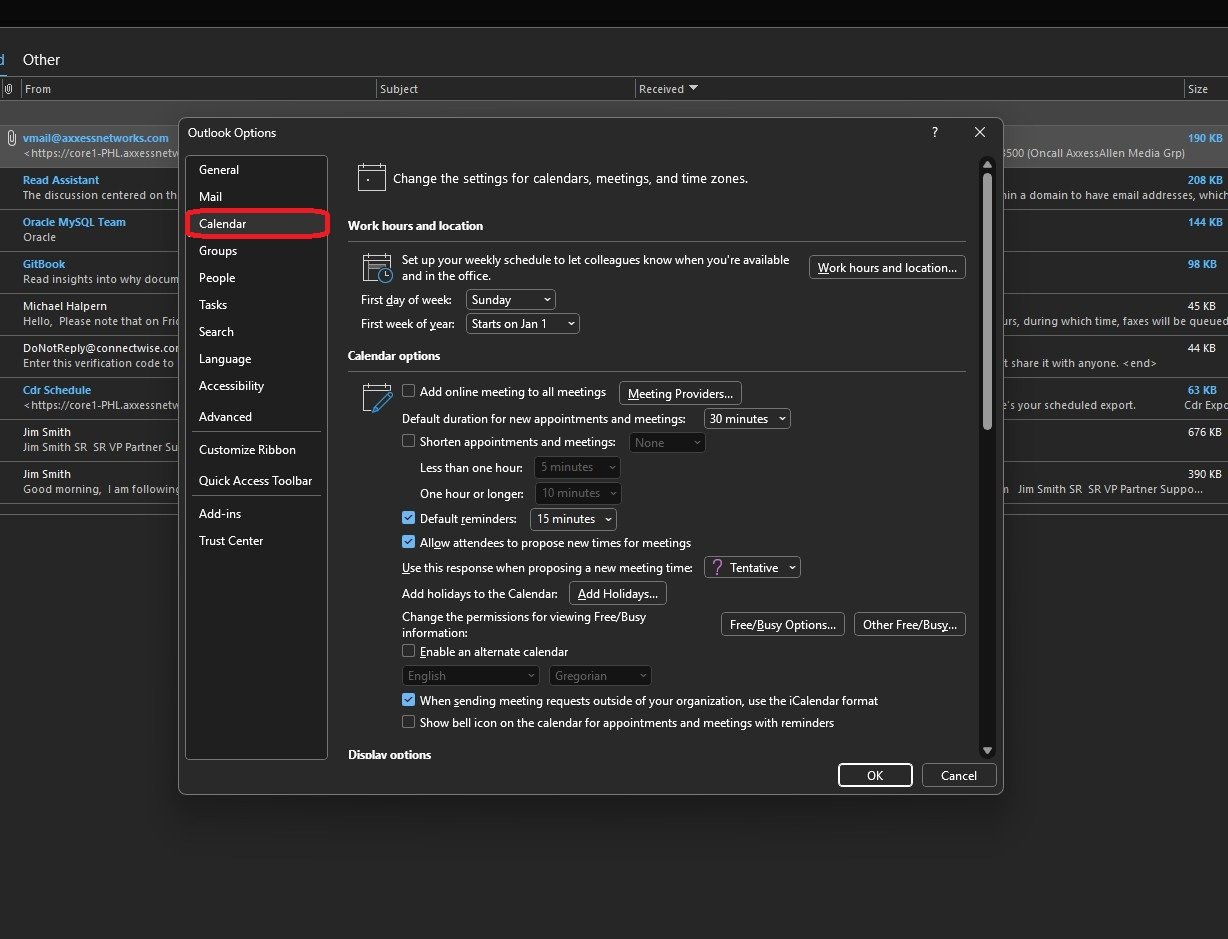
On the Outlook Options window, click the Calendar option.
Step 4
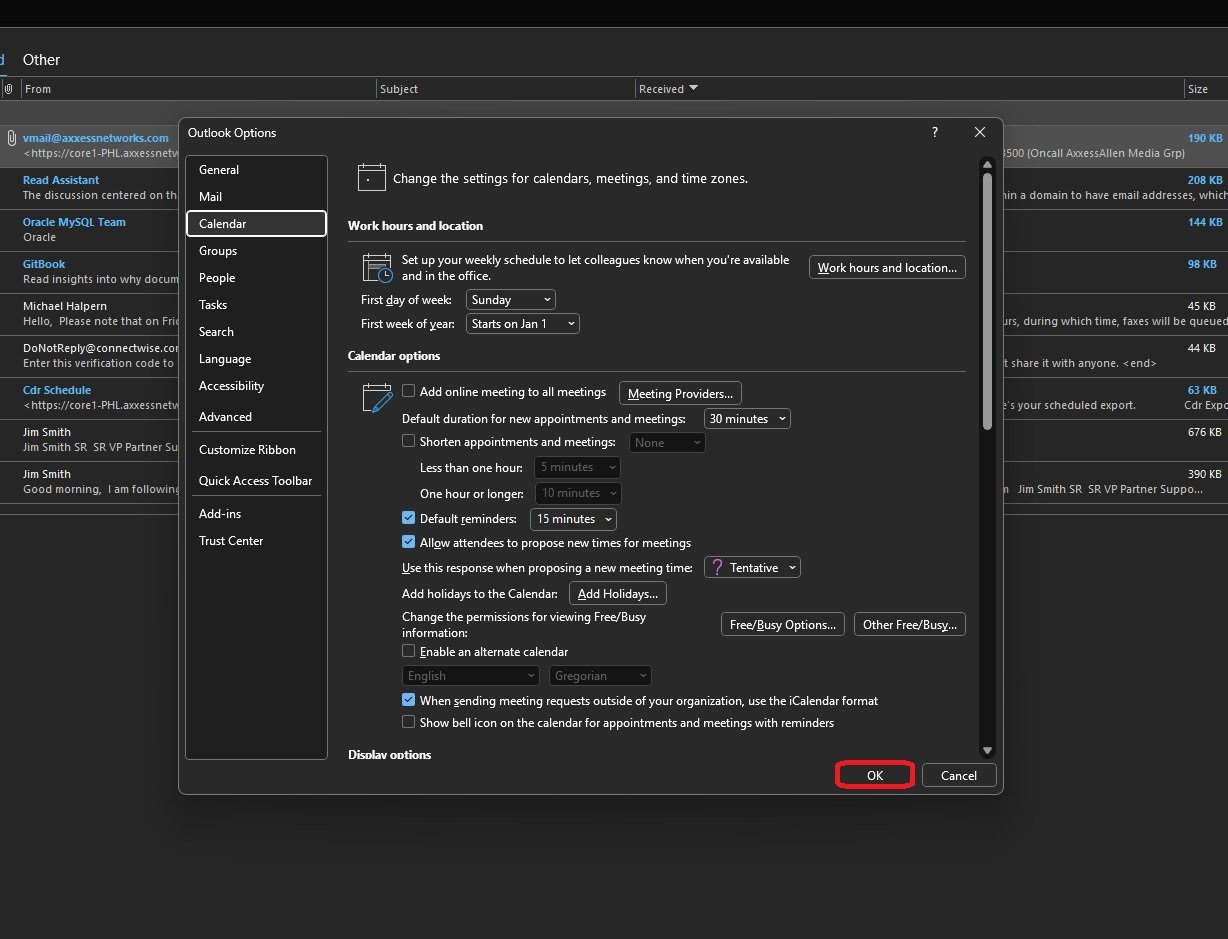
In the Calendar options section, locate and UNCHECK the checkbox Add online meetings to all meetings.
Step 5
To save your new settings, click OK.