
AxxHD Chrome Permissions Settings
How to give microphone, speaker and camera permission access in your browser.
Allowing Permissions
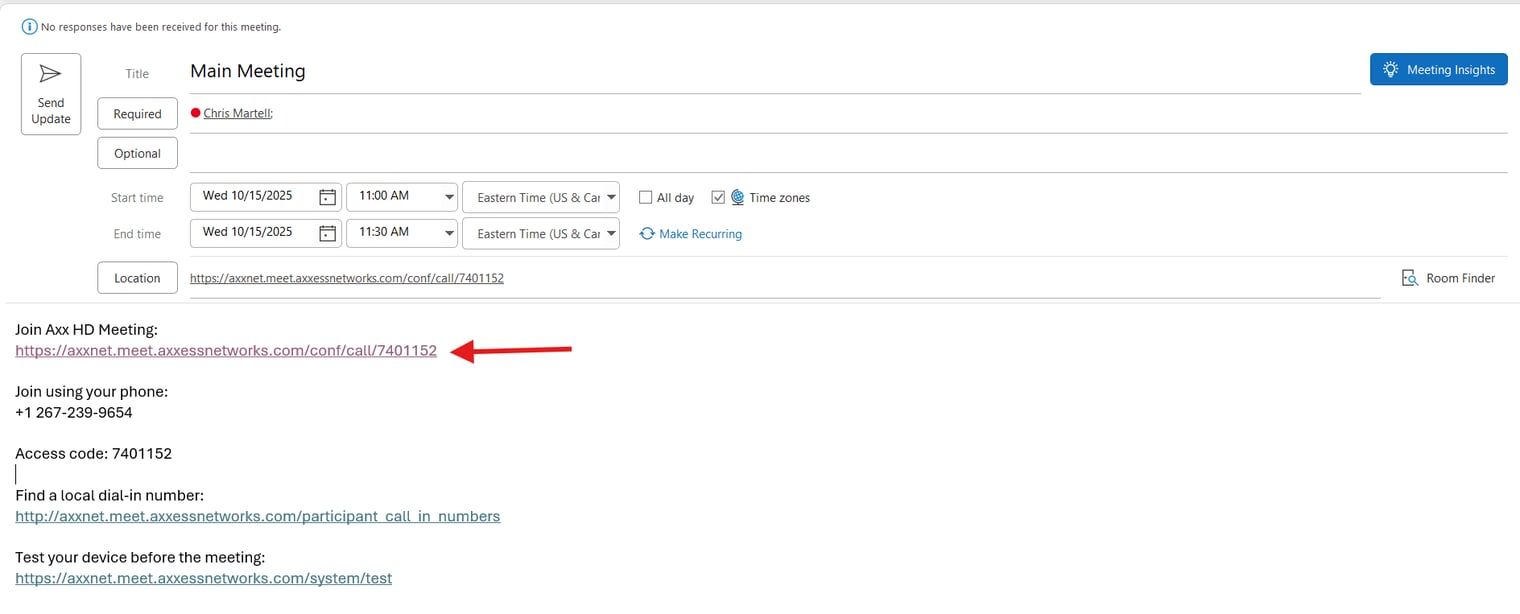
Open the meeting invite and click the meeting's link
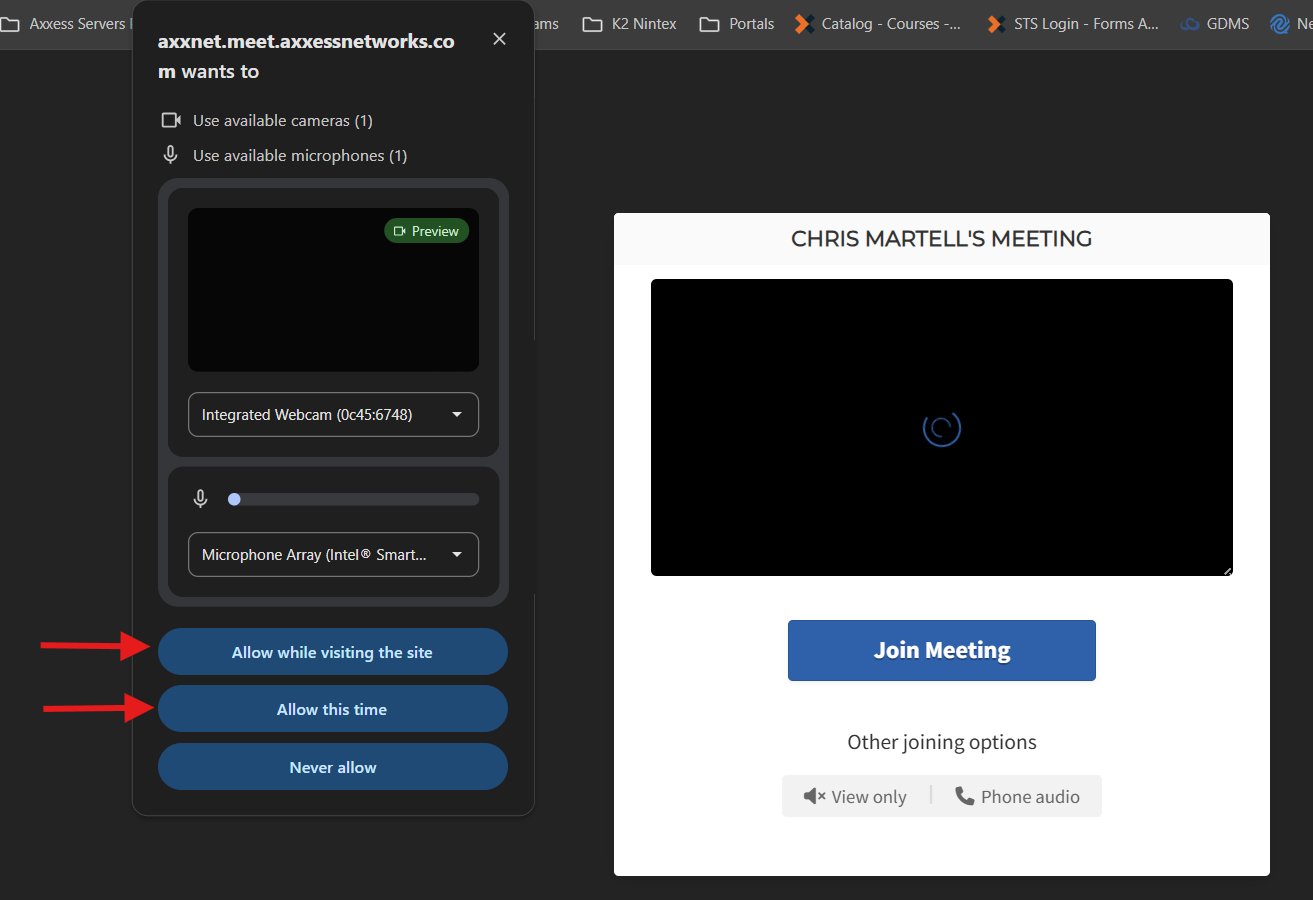
Once the page loads, the permission choice menu for your Camera and Mic will show. Select Allow While visiting this Page or Allow this time (Next time it will ask the permissions options again)
Speaker Access
Chrome uses the systemʼs audio settings — ensure your output device (speaker/headset) is selected under: Settings > System > Sound.
Google Chrome Settings
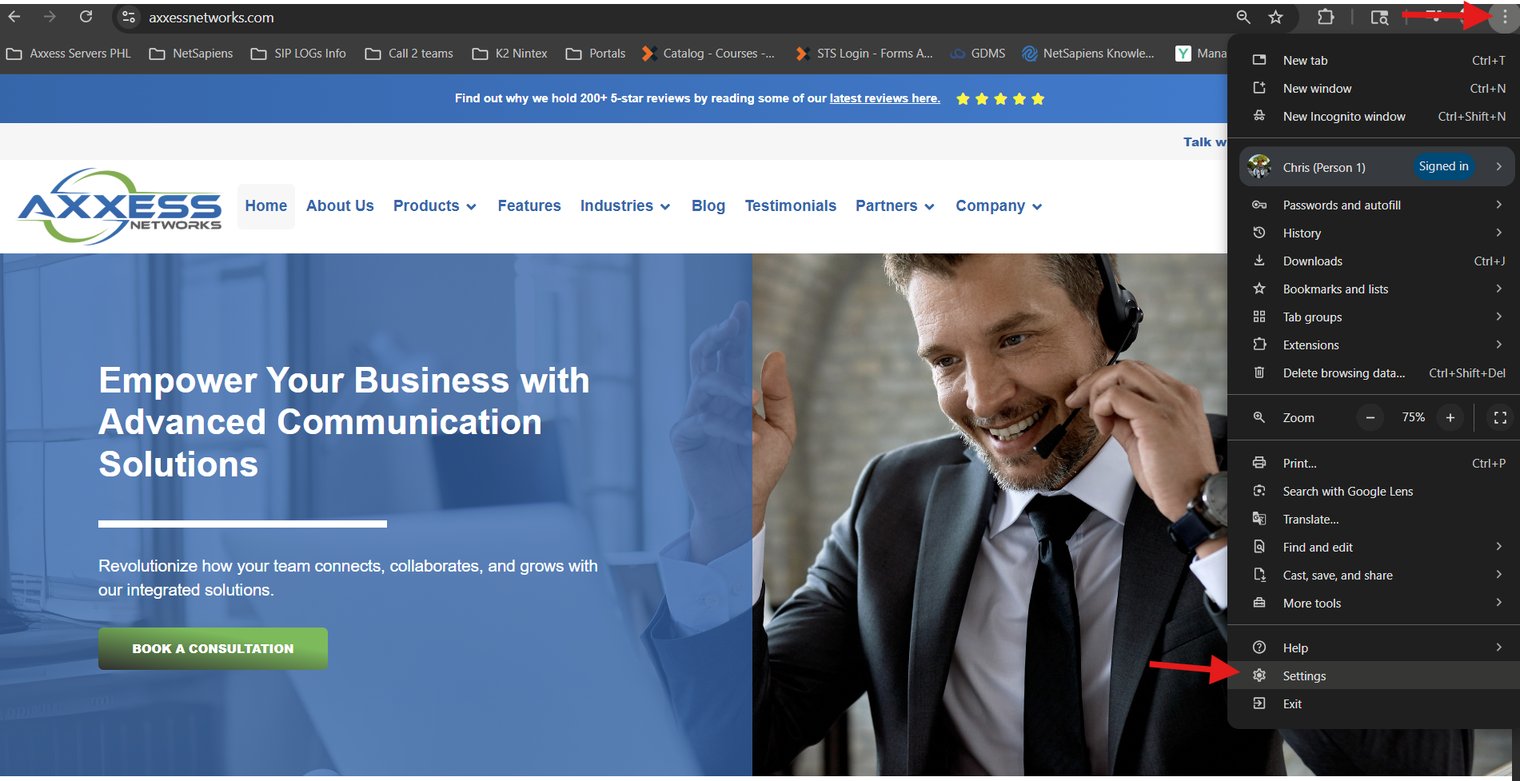
Open Chrome → Go to the three-dot menu in the top-right corner
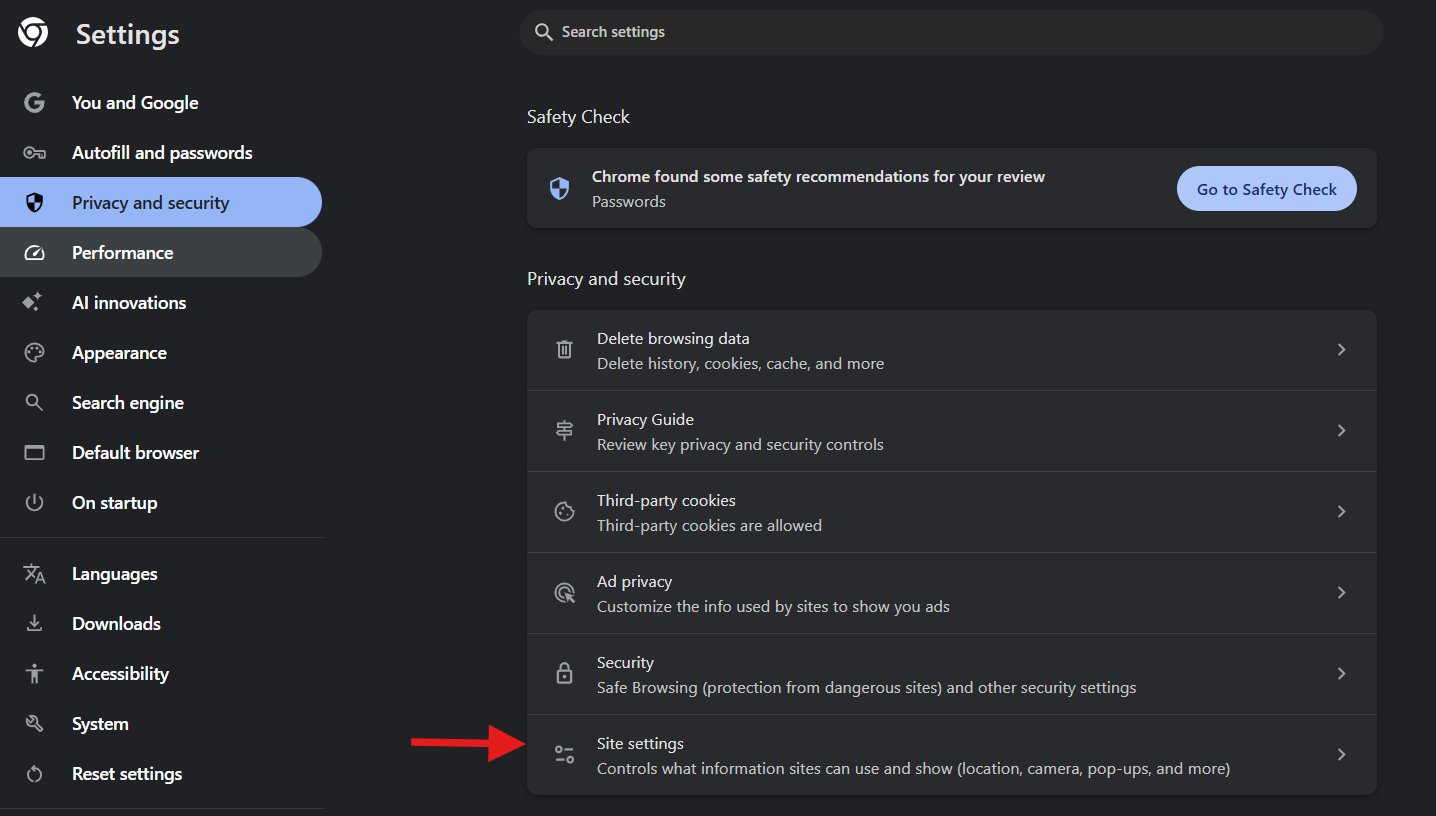
Got to Privacy and Security then Choose Site settings.
Double click on https://axxnet.meet.axxessnetworks.com:xxx
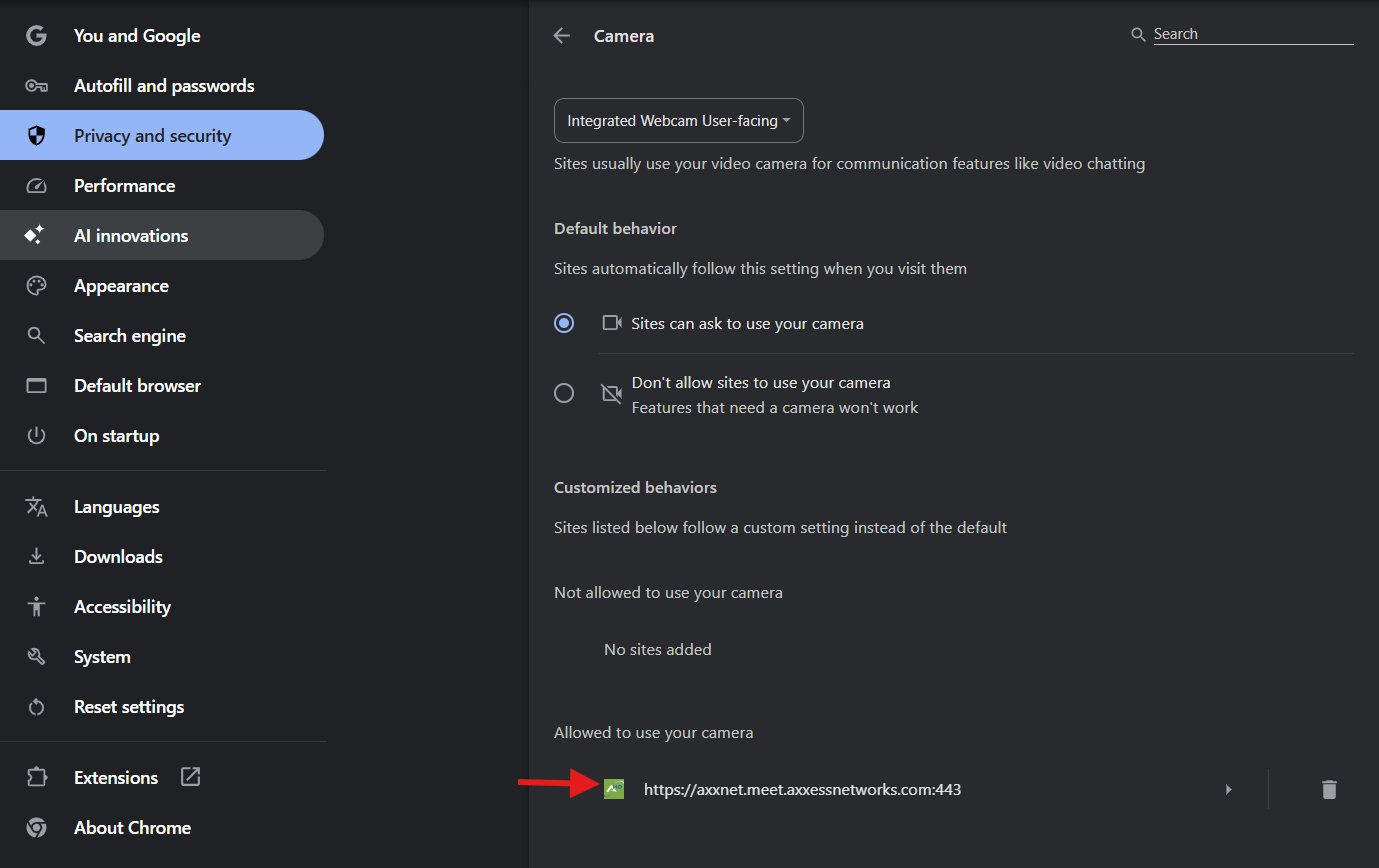
Under permissions, set camera and microphone to dropdown to Allow.

Speaker access
Chrome uses the systemʼs audio settings — ensure your output device (speaker/headset) is selected under Settings → System → Sound.
AxxHD Permissions For Microsoft Edge Browser
Click the meeting link to open the meeting page. When prompted by Microsoft Edge, allow access to your microphone and camera by selecting Allow. Then, proceed to join the meeting.
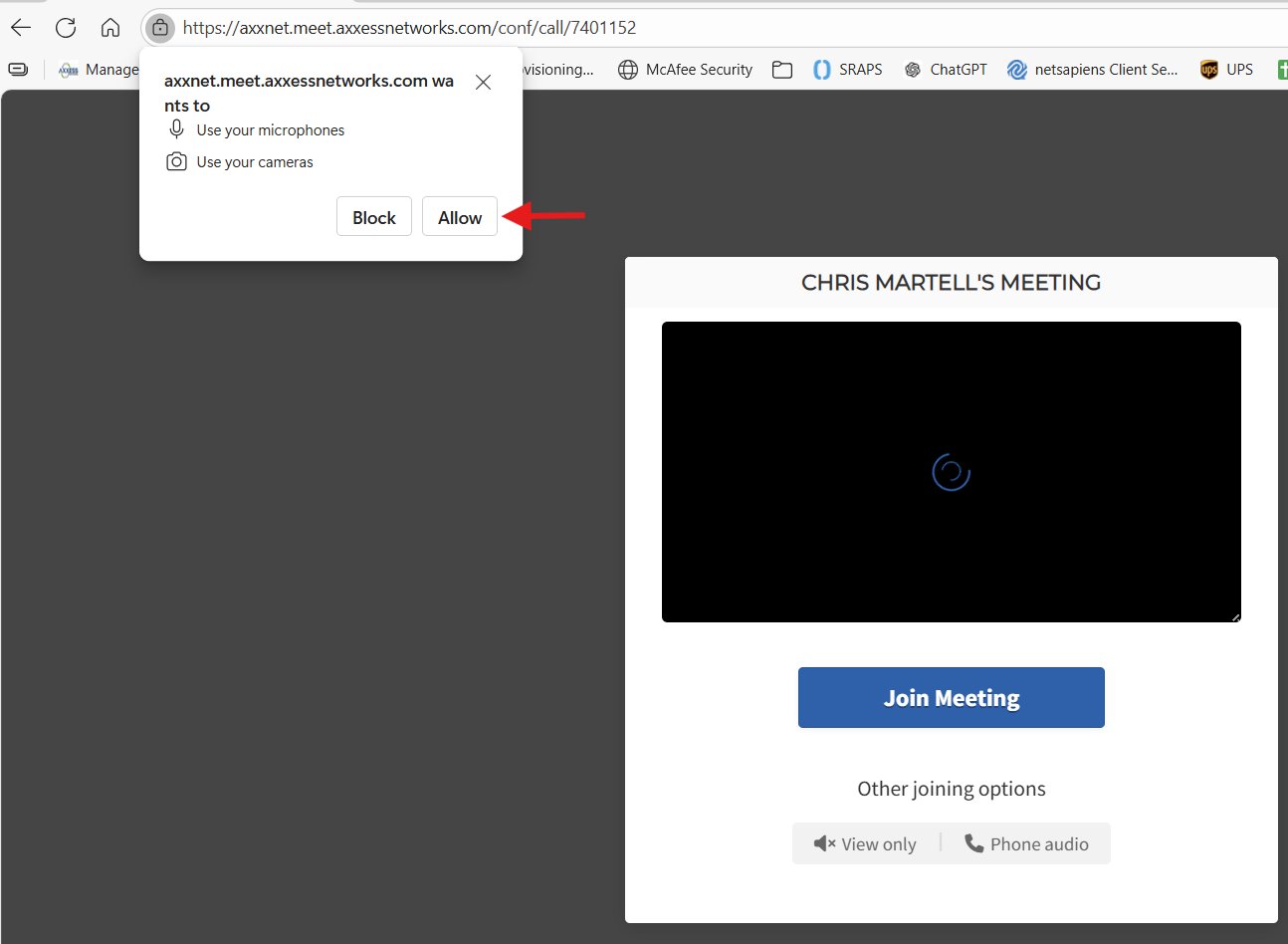
For speaker output, Edge also follows Windows sound settings Settings → System → Sound
AxxHD Permissions For Firefox Browser
Click the meeting link to open the meeting page. When prompted by Firefox, allow access to your microphone and camera by selecting checking the Check Box Then, proceed to join the meeting.

AxxHD Permissions For IOS Safari Browser
Steps (i Phone or i Pad):
- Go to Settings → Privacy & Security → Microphone.
(Image: i Phone Settings showing toggle list of apps under Microphone) - Make sure Safari, Chrome, or Edge are toggled ON.
- Do the same under Camera.
- Then open Safari/Chrome/Edge → Visit the site.
- When asked, tap Allow for both microphone and camera access.
(Image: i Phone browser pop-up “This site would like to use your camera and microphone”)
Speaker access
iOS browsers automatically use system output; ensure Silent Mode is off and volume is up.