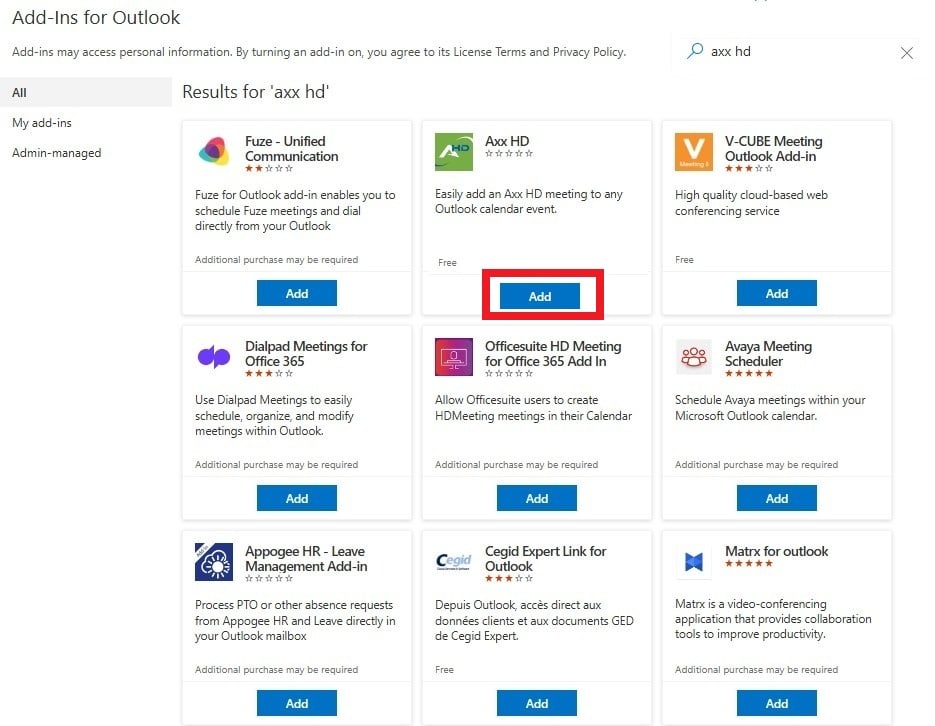
A step-by-step guide on how to install the AxxHD Add-in into the legacy version of Outlook.
Step 1
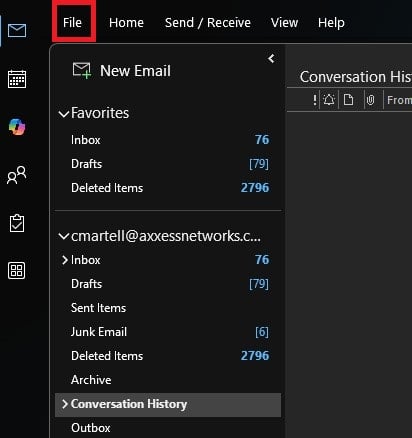
Open Outlook. Click File.
Step 2
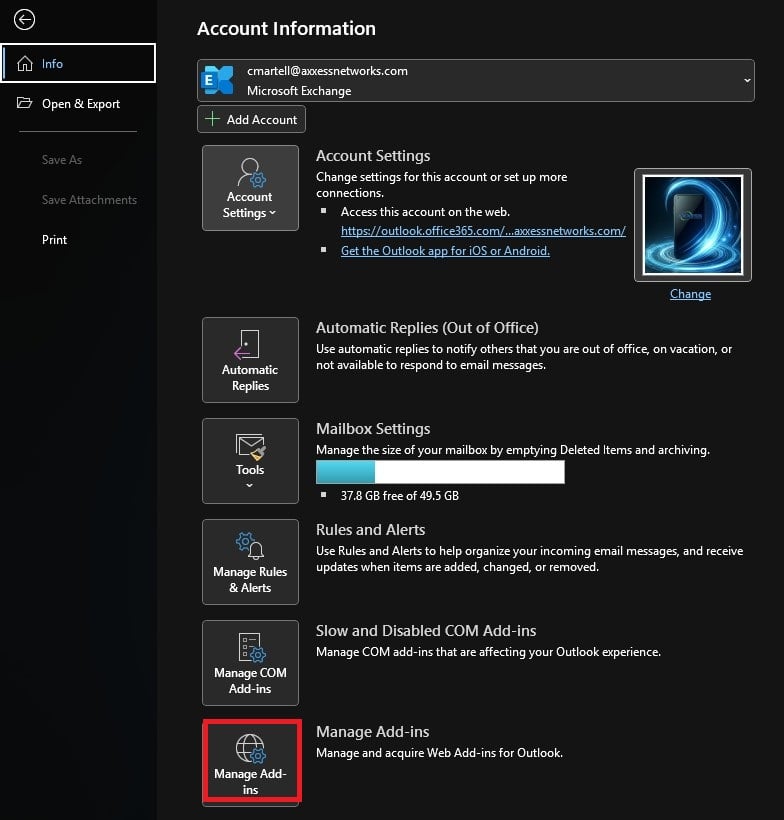
Click Manage Add-ins
Step 3
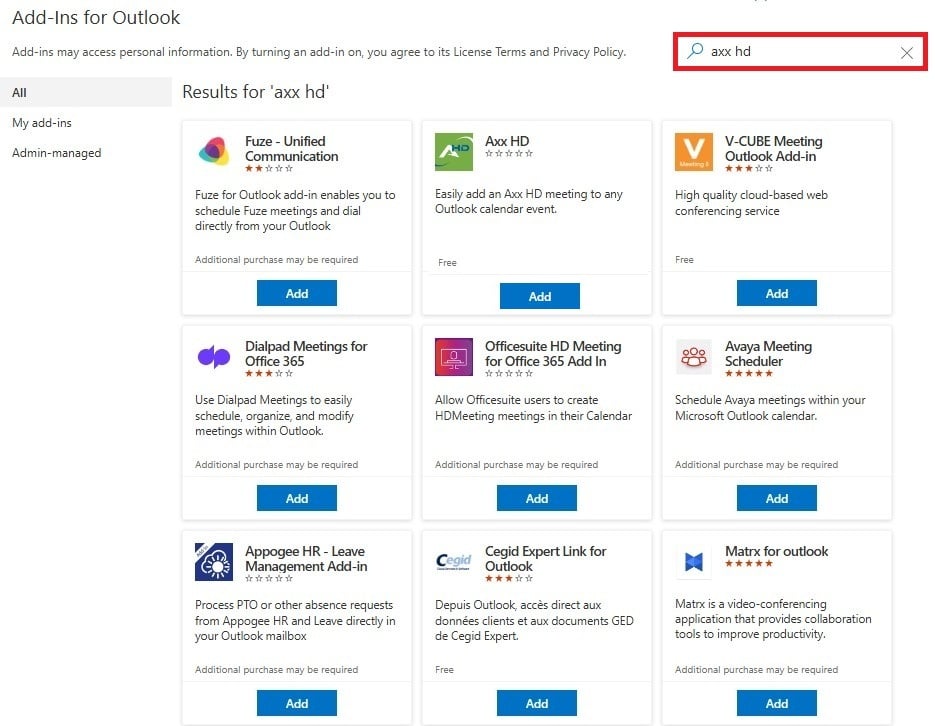
In the Add-ins for Outlook screen, search for Axx HD.
Step 4
Locate Axx HD on the list. Click Add.